 Support Center
Error 675, You are not currently authorized...
📚 What This Guide Covers
This article explains Error 675 and how to fix it so you can add the state into the return.
⚠️ Before You Begin
You will need access to your SureFire software to check for module updates.
📊 Step-by-Step Guide
Step 1: Check for module updates
Use this when you see Error 675 while adding a state.
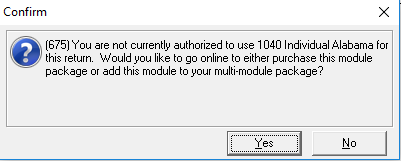
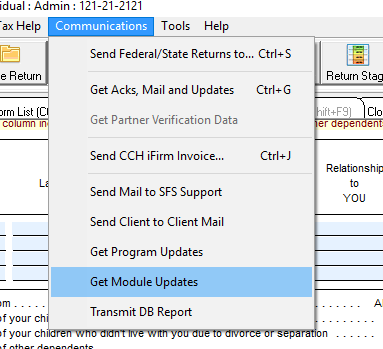
This error is most common when are attempting to add a state to a return and the state isn't correctly downloaded or updated. You can fix this by checking for any updates to your modules. Sign in to your SureFire software as an Admin and go to Communications at the top and then select Get-Module Updates.
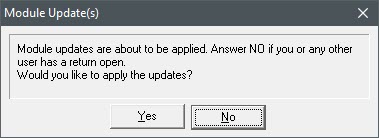
After the updates finish applying, you should then be able to add the state into the return without issue.
📞 Still Need Help?
If you are having trouble, contact our support team:
Phone: 1-800-516-9442
Tags: install,state,setup