 Support Center
Form 1099-C/Cancellation of debt
🔍 What This Guide Covers
This guide explains how to handle Form 1099-C (Cancellation of debt) information in SureFire.
⚠️ Before You Begin
You will be linking the correct worksheet/line in your return so the information carries forward.
📊 Step-by-Step Guide
Step 1: Enter 1099-C info on the 1040 where it belongs
Use this when you need to add cancellation of debt information to your return.
The SureFire program does not have a 1099C. Cancellation of debt income has many factors that contribute to whether or not the income is taxable. Due to this, Form 1099-C for cancellation of debt is not currently in the SureFire system. If you need to enter this information into a return you will enter that information on the 1040 line 21.

To do this you will link the 1040 worksheet 7 to line 21 where it says other income. To link the form click on the line and press F9 or right-click and choose link.
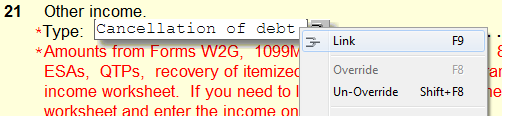
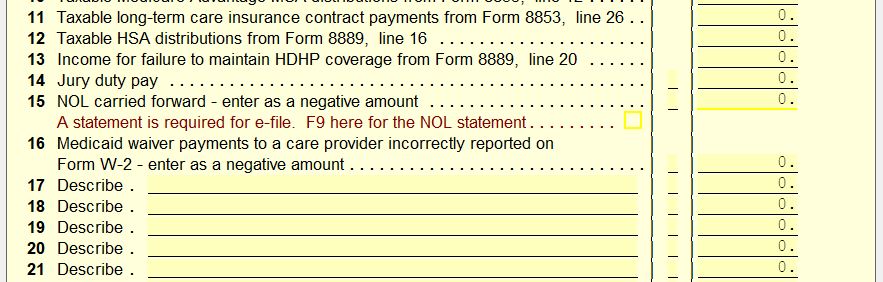
Enter in information on 1040 worksheet 7, it will automatically carry over to the 1040 pg 1 line 21. You will notice that there is not a line for 1099-C information, you will need to use one of the description lines (17-30) and enter something along the lines of "1099-C" or "Cancellation of debt."
You can also use form 982 to enter in this information. Whichever applies to the return in question.
📞 Still Need Help?
If you are having trouble, contact our support team:
Phone: 1-800-516-9442
Tags: federal,form